
Uptime Kuma on a single VPS: 23 monitors, three red, and why
How I set up Uptime Kuma for a one-box self-hosted stack, which endpoints I point it at, how alerts reach my phone, why three monitors went red without anything being down, and the DNS app I kept off the box.
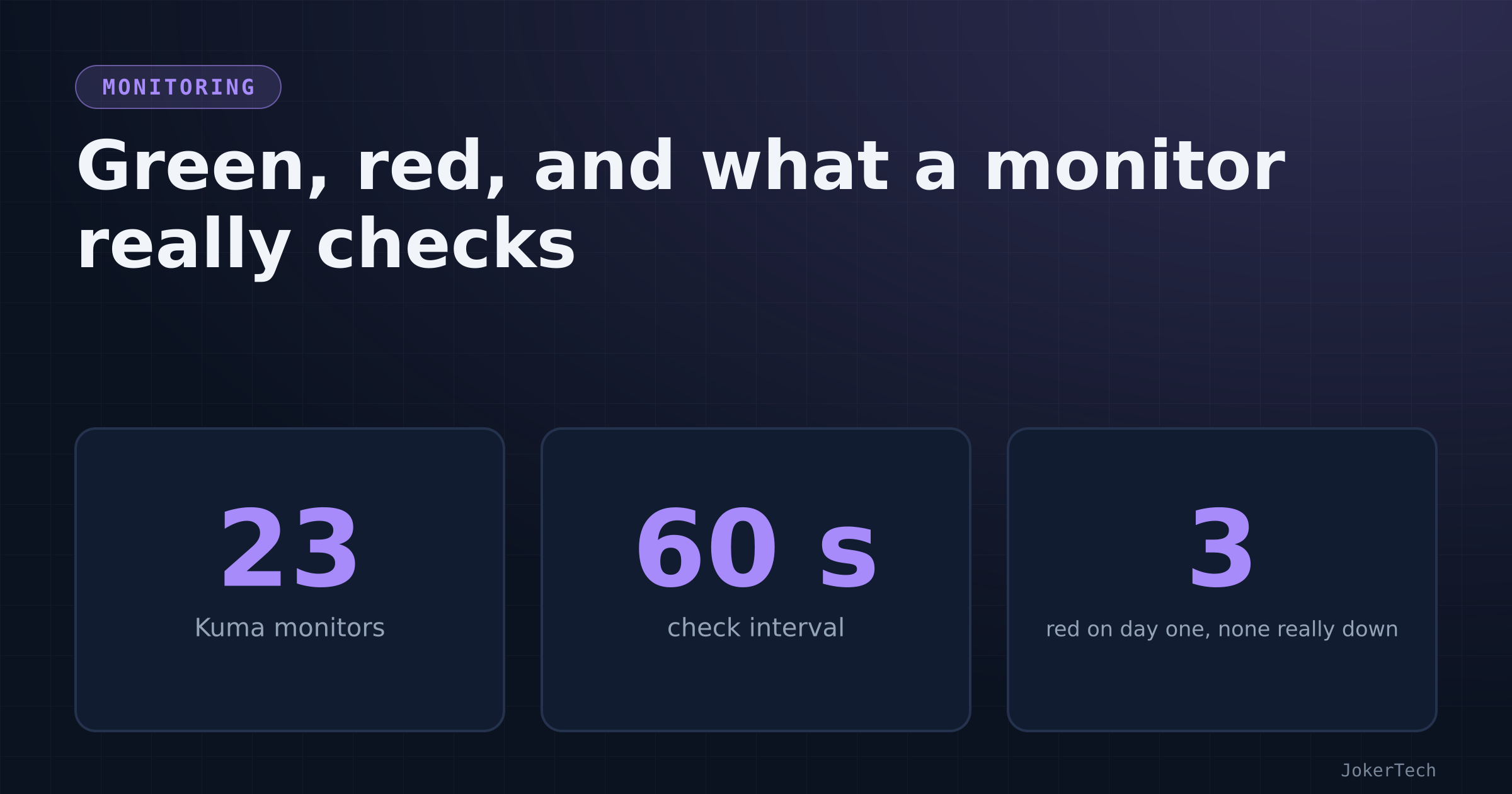
Three monitors were red the first time I looked at the whole list properly: Dashy, SiYuan and Traefik. All three apps were working fine in my browser at the time. That's the most useful thing Uptime Kuma taught me in its first week. A monitor doesn't tell you whether an app works. It tells you whether one HTTP request matched an expectation you wrote down, and my expectations were wrong in at least two of the three cases.
Some background first. Everything I self-host runs on one rented VPS: Nextcloud, Immich, a few note-taking apps (AFFiNE, AppFlowy, SiYuan, Memos), NocoBase as a kind of personal back office, Gogs for git, RomM, BentoPDF, Dashy as a start page, and a handful of my own small public sites. In October I added a batch more: ntfy for push notifications, Uptime Kuma, Authelia, Dozzle, Karakeep, FreshRSS and Kavita. Until then I found out about outages the old-fashioned way. I'd open something on my phone and it would be broken, and then I'd sit there wondering how long it had been broken for.
How Kuma got on the list
The batch started with a lazy question to the AI assistant I was building with: "looking at my stack what applications do you think might interest me and self host?" The answer was a long list in three tiers. Uptime Kuma was in the first tier with a one-line reason I couldn't argue with: "Without it you'll notice an outage when you try to open something." Next to it were ntfy or Gotify as a push target, a password manager, and a backup tool. Further down were AdGuard Home, a VPN, n8n, an SSO layer and a log viewer.
My reply went through the list item by item, and a lot of it was "no". I already have a password manager. Nextcloud is already backed up to Backblaze. I'd tried Firefly III before and found it overkill. I didn't see why I'd need a VPN. I had no real use for n8n. AdGuard Home I wanted, but not on this server (more on that at the end). Kuma was a yes, with a follow-up in the same breath: "okay implement uptime Kuma but what happens when the server itself is down or off?" That question got its own post, because the answer is "nothing happens" and fixing it needed something off the box.
The same reply set the rule for everything that followed: "for all apps there should be minimal config and minimal maintenance effort". Every choice below was made with that sentence in mind.
What I already had, and why it wasn't enough
It's a little embarrassing, but I did already have a monitor of sorts. NocoBase had a scheduled workflow, "uptime check (every 10 min)", built by a short Python script, wf_uptime.py, that talks to NocoBase's API. It queries the homelab_services table for rows with status running and a URL, loops over them, does a GET on each URL with an 8-second timeout, and writes the HTTP code and a timestamp back to the row. A final SQL step turns the codes into a health flag:
UPDATE homelab_services SET health = CASE
  WHEN last_http_code IS NULL OR last_http_code >= 500 OR last_http_code = 0 THEN 'down'
  ELSE 'up' END
WHERE COALESCE(status,'running') = 'running'
  AND last_checked_at > now() - interval '15 minutes'
Anything that answers with less than 500 counts as up. That's deliberately generous. A login page's 401 or 403 means the app is alive and refusing a stranger, which for a dot on a dashboard is "up". When I ran it by hand one morning, its output was a list like ('RomM', 'up', 200), ('SiYuan', 'up', 401), ('Nextcloud', 'up', 403), ('Immich', 'up', 200).
As a monitor it fell short, though. It doesn't alert anyone. It doesn't know about certificates. It has no idea of "failed twice in a row", so one slow response is a down. And it lives inside NocoBase, which is one of the apps I want monitored. If NocoBase falls over, the thing that would tell me falls over with it.
I didn't remove it. It still feeds the health column on my Homelab services page, and a morning digest workflow uses that column to list "Service down" items. But the job of telling me something broke moved to Kuma.
Why Kuma and not something bigger
Uptime Kuma is the boring answer, and boring was the point. It's one container with its own SQLite database and a web UI. You click monitors together. It knows HTTP, keywords, TCP ports, DNS, push monitors and certificate expiry. And it ships an ntfy notification type out of the box, which mattered because I was setting up ntfy as my push channel on the same day.
The bigger alternative is a Prometheus-style stack: exporters, Prometheus, Alertmanager, Grafana and blackbox_exporter for HTTP probes. It does more, and it's also five things to configure and keep updated, for the job of asking two dozen URLs whether they're alive. It fails the minimal-maintenance rule before you've written the first scrape config.
The smaller alternative is a hosted checker like UptimeRobot for everything. I do use UptimeRobot, but only as an outside watchdog for the whole server, because its free tier checks every five minutes and its public status pages list the names of whatever you monitor. I didn't want one monitor per private service sitting on someone else's website. Kuma lives on my box, behind my login, and checks every minute.
The NocoBase pinger could have been extended instead: add retries, add an ntfy push, add certificate checks. I'd have been rebuilding Kuma badly inside a low-code tool, on the same server, with the same "it dies with what it watches" problem.
The compose file, line by line
# Uptime Kuma — first visit asks you to create the admin account (do it right away).
# It cannot warn you when THIS server is down: see README.md ("When the server itself is down").
services:
  kuma:
    image: louislam/uptime-kuma:2
    container_name: kuma_app
    restart: unless-stopped
    networks: [frontend]
    volumes:
      - ./data:/app/data
    labels:
      - traefik.enable=true
      - traefik.http.routers.kuma.rule=Host(`${KUMA_HOST:-uptime.example.com}`)
      - traefik.http.routers.kuma.entrypoints=websecure
      - traefik.http.routers.kuma.middlewares=default-security-headers@file,remove_identity@file,authelia@docker
      - traefik.http.services.kuma.loadbalancer.server.port=3001
      - traefik.docker.network=frontend

networks:
  frontend:
    external: true
Line by line:
The image is pinned to the major version, :2, not :latest. My update notes sort every image into groups. Stateless or self-migrating apps (Dozzle, Dashy, BentoPDF, ntfy) follow latest and get upgraded freely. A second group is "pinned to a major already": Authelia :4, Uptime Kuma :2, MariaDB :11, Redis :7. Kuma keeps its whole history in that SQLite file, and a jump from 2 to 3 is a database migration I want to schedule myself, not have happen during a routine pull. As it happens, the FreshRSS access log shows which version is running. Kuma's probes arrive with the user agent Uptime-Kuma/2.5.6.
container_name: kuma_app matters more than it looks. Other containers address Kuma by that name over the Docker network. NocoBase reads Kuma's metrics from http://kuma_app:3001/metrics, and ntfy is addressed the same way from the other direction. Renaming the container would quietly break both.
./data:/app/data is the only state. Backing up Kuma means backing up that folder. It went onto my "add these to the backup job" reminder along with the other new data folders.
networks: [frontend] is the shared network that Traefik and every web app sit on. Kuma needs to be there so Traefik can reach it and so it can reach ntfy by container name.
The router labels are my standard Traefik pattern. The middleware list includes authelia@docker, so the whole UI is behind two-factor auth. That wasn't true on day one. The first version had no gate, and the public status page that came with it ended up exposing a list of every service I run. Moving Kuma behind Authelia, and the exception I had to cut for push monitors, is covered in the watchdog post. The only thing to know here is that the change needs a second router for /api/push/, so scripts can still check in without logging in.
There's no healthcheck in the compose file. The Kuma image has its own, and that same afternoon I'd learned not to write healthchecks for images I hadn't opened (two of mine were wrong).
The first visit to a fresh Kuma asks you to create the admin account, and whoever gets there first is the admin. So create it the minute the container is up. The same goes for AFFiNE and a few others on this box.
Monitors: clicked, not scripted
My first instinct was to provision the monitors from code, the way I build NocoBase pages from Python scripts. There's a community Python wrapper for Kuma, but it drives Kuma's Socket.IO API, the private channel the web UI uses. When I searched for it, the question was whether it supports Kuma 2.0 at all, and the answer wasn't clear. A library that tracks an unofficial websocket protocol on a moving major version is the opposite of low maintenance. So I click: make one monitor, then use Clone for the rest. The list of targets lives in a table in the Kuma README in my repo, and that's the only "config as code" I bothered with.
Every monitor is HTTP(s), with a 60-second interval and 2 retries. The retries matter more than the interval. With none, one slow response while Docker pulls an image would page me. With two, a monitor has to fail three checks in a row before it goes down, which at 60 seconds means a couple of minutes of real trouble. While retrying, the monitor shows as "pending" and doesn't alert.
Where an app has a real health endpoint, I use it in place of the home page:
| App | Path |
| Nextcloud | /status.php |
| Immich | /api/server/ping |
| AFFiNE | /info |
| NocoBase | /api/__health_check |
| ntfy | /v1/health |
| Authelia | /api/health |
| Traefik | /ping |
Health endpoints are better targets than home pages for two reasons. They're cheap, so a request every minute doesn't render a full page. And they check the app's own idea of health. Nextcloud's status.php, for instance, reports maintenance mode, which a home page might happily render around.
Everything else gets its root URL: Gogs, Memos, SiYuan, AppFlowy, RomM, BentoPDF, Karakeep, FreshRSS, Kavita, Dashy, Dozzle and my public sites. FreshRSS answers its root with a 302 to the login page, and Kuma follows redirects, so it ends up on a 200. You can see those probes in FreshRSS's access log: "GET / HTTP/1.1" 302 - "-" "Uptime-Kuma/2.5.6".
The README has a slightly sheepish line: "Immich/AFFiNE/NocoBase health URLs above are the usual ones — if one 404s, use the site root instead." I wrote that list from documentation, not from testing each path, and I'd rather admit that in the README than pretend.
As of mid-October 2026, Kuma has 23 monitors.
The monitors go out over the public internet, through Cloudflare and Traefik, and back into the box. That's deliberate. A monitor that talked to its neighbours over the Docker network would only tell me the container is alive. Going round through DNS, Cloudflare, TLS and the Traefik router tells me whether I could actually use the thing from my phone, which is the question I care about. The cost is that a Cloudflare problem turns every monitor red at once. I'd still rather know.
Getting alerts to the phone
Notifications go to ntfy, my self-hosted push server. In Kuma: Settings → Notifications → Setup Notification, type Ntfy:
Server URL:      http://ntfy_app:80
Topic:           alerts
Authentication:  Access token  (the publish-only "bot" token)
[x] Default enabled
[x] Apply on all existing monitors
The server URL is the container name, not the public hostname. Both containers are on the frontend network, so the alert never leaves the box, goes through Cloudflare and comes back in. That's one less thing that has to work at the moment something is already broken.
The token belongs to a ntfy user called bot, and ntfy's access rules give it write-only access. At first that was only a short list of named topics. A day later it became bot:*:wo, write-only on any topic, because new topics kept turning up (a morning digest, update notices) and editing the ACL each time got old. Write-only is the property that matters. If the token leaks out of Kuma's database, the worst anyone can do with it is send me fake alerts, not read my real ones.
On the phone, the ntfy app subscribes to the alerts topic on my own server and logs in as the admin user, which can read everything.
Tick Default enabled and Apply on all existing monitors, or any monitor created before the notification existed will alert nobody, and you won't find out until the day it matters. Kuma's dialog has a Test button, and the setup guide I followed said to press it before saving.
There's an obvious hole in all of this. Kuma, ntfy and every app they watch are on the same machine. If the machine dies, Kuma can't send anything and ntfy can't receive it. That's a separate problem with a separate fix, and it has its own post.
The three red ones
Kuma's numbers also end up in NocoBase, read from its metrics endpoint every five minutes (also its own story). The first time that sync worked, the table showed 23 monitors, three of them down: Dashy, SiYuan and Traefik.
Dashy sits behind HTTP basic auth at Traefik, set up a week before any of this. An anonymous GET gets a 401, and Kuma's default accepted status codes are 200-299. So Kuma was correctly reporting that Dashy refuses strangers, which is the whole point of basic auth. The setup guide even says to set Dashy's accepted codes to 200-299 plus 401. Either I didn't do it on that monitor or it didn't stick. Either way it was my configuration, not an outage.
SiYuan runs with an access auth code, and NocoBase's older pinger saw a 401 from it in the same period. The pinger counts anything under 500 as up, so NocoBase had SiYuan green while Kuma had it red. Same request, same response, opposite verdicts, because the two checks were written with different rules. Neither is wrong. They answer different questions: Kuma asks "did I get what I said I expected?", and the pinger asks "is anything answering at all?" The fix is the same as for Dashy: accept 401 on that monitor, or point it at a path SiYuan serves without auth if there is one. I haven't checked whether there is.
Traefik I'm less sure about, and I'm leaving it open. The monitor points at /ping, which Traefik serves through a dedicated router to its internal ping@internal service. When I checked from my laptop around the same time, curl came back with 000, which means no HTTP response at all, so that router isn't reachable the way I assumed. Something is off, either the router or the monitor URL. Traefik itself is obviously up, or nothing else on the list would be green. I haven't dug into it.
There's a subtler problem that never shows up as red. Dozzle sits behind Authelia. When I hit Dozzle's API without a session, Traefik answered 302 in about a quarter of a second, a redirect to the Authelia login page. Kuma follows redirects by default, lands on the login page, gets a 200, and shows green. So the Dozzle monitor is really measuring Authelia. If the Dozzle container died, the gate in front of it would still answer and Kuma would stay green. The README line telling me to "accept 401 for Dashy / Dozzle" was written before Dozzle went behind Authelia, and for Dozzle it's simply wrong now. Any app behind a forward-auth gate has this problem. There are two honest fixes. One is to turn off redirect-following and require the 302, which still only proves Authelia is up. The other is to have Kuma check the container from the inside through a Docker connection, which means giving Kuma access to the Docker API, and I'm reluctant to hand that out. I've done neither. For now I know that green on Dozzle means "the login page works".
Day to day
I almost never open Kuma's own UI. Three places show me its data without a login prompt.
The phone gets a push from ntfy when a monitor goes down and another when it comes back. That's the main channel, and it's quiet most days, which is how it should be.
NocoBase has a Homelab → "Uptime (Kuma)" page with one row per monitor: status, response time, uptime over 24 hours and 30 days, certificate days left, and how long the current status has lasted. I read it when I'm already in NocoBase for something else.
ChatOps, my "manage the server by messaging a private ntfy topic" setup, has an uptime command that reads the same NocoBase table and answers in the chat: how many monitors are up, the ones that are down or pending, the three slowest, and any certificate with fewer than 30 days left. The code is short enough to quote:
bad = [r for r in rows if r.get('status') in ('down', 'pending')]
up = [r for r in rows if r.get('status') == 'up']
out = [f"{len(up)}/{len(rows)} up" + ...]
out += [f"🔴 {r['name']} ({r['status']})" for r in bad] or ['all monitors are up']
slow = sorted((r for r in up if r.get('response_ms')), key=lambda r: -r['response_ms'])[:3]
certs = sorted((r for r in rows if r.get('cert_days') is not None and r['cert_days'] < 30), ...)[:5]
Pending counts as bad in that summary, unlike in Kuma's alerts. If I'm asking, I want to see the monitor that's on its second retry.
What it costs
Since setup day, Kuma hasn't asked for anything that I've noticed. The container runs, the SQLite file grows slowly, and the image only moves within major version 2. Almost all the work was deciding what each monitor should expect, and I got that wrong for at least two of the three red ones. Writing "is it up?" as a URL plus a list of acceptable status codes forces you to say what "up" means for each app. For apps behind a login, the answer is less obvious than it looks.
The small costs: one more container in the backup list, one notification to keep pointed at the right ntfy topic, and the occasional new monitor when I add an app. A new app's Kuma monitor belongs on the same mental list as its Dashy link and its row in the NocoBase services table, and it's the one I'm most likely to forget.
Still open
The README plans two things I'd like to get right. The first is a push monitor for the nightly Nextcloud backup to Backblaze. Kuma hands you a URL with a secret token in it. The backup script curls it at the end, and if Kuma hasn't heard from it within the window, it alerts. It's the only way I know to catch a cron job that silently stops, which is the scariest way a backup can fail. The /api/push/ route stays open through Authelia for exactly this.
The second is a certificate expiry notice. Kuma already exports days-left per HTTPS monitor, and the ChatOps summary uses it, but having Kuma alert on it directly costs nothing.
Then the red ones: accept 401 on Dashy and SiYuan, decide what the Dozzle monitor should really check, and find out what's wrong with Traefik's /ping.
If I did it again, I'd write the "accepted status codes" column into the README table next to every URL, and not in a note under it. Most of my wrong results came from the codes, not the URLs.
What didn't go on the box: AdGuard Home
There's one more app from that shortlist, because its compose file sits in the same repo and starts with the words "NOT DEPLOYED". It's AdGuard Home, and it's the only app there that I added knowing I wouldn't run it.
I wanted network-wide ad blocking, but I said no to running it on this server: "adguard home is not possible because the server is in [a data centre on another continent] and hence its too far away", followed by "but implement it in the git, once I have my homelab i will use it."
The distance matters more for DNS than for anything else on the VPS. Everything else tolerates it: a page from Nextcloud or NocoBase costs one long round trip to start and then streams, and an extra few hundred milliseconds on first load is something I notice and forget. DNS sits in front of every other request. Before my laptop can fetch a page it resolves the hostname, and so does every image host, script CDN and API the page touches. Caching hides most lookups, but the misses are exactly the ones you sit waiting for, and each of those would pay an intercontinental round trip before the real request even starts. A resolver is supposed to be close: your ISP's is a few hops away, and a LAN box is one. An ad blocker that makes browsing slower is a strange trade.
There was a second reason, which I only fully appreciated later. Serving my home network from the VPS means answering DNS queries from a residential IP that changes, and in practice that means port 53 open on the public internet. An open resolver is a well-known way to end up taking part in DNS amplification attacks, and keeping it locked to a moving home IP is exactly the ongoing fiddling I'd ruled out. AdGuard supports DNS-over-HTTPS and DNS-over-TLS, which would solve the exposure because only configured clients would use it. Neither does anything about the distance.
The compose file I committed is the textbook one, plus comments that record the decision:
# AdGuard Home — NOT DEPLOYED on the remote server (too far away for DNS).
# Kept here for the future homelab. Run it on a LAN machine and point the router's DNS at it.
# First start: open http://<host>:3000 to run the setup wizard, then the admin UI moves to :80.
services:
  adguardhome:
    image: adguard/adguardhome:latest
    container_name: adguardhome
    restart: unless-stopped
    ports:
      - "53:53/tcp"
      - "53:53/udp"
      - "3000:3000/tcp"   # setup wizard (first run only)
      - "80:80/tcp"       # admin UI after setup — LAN only, do not expose to the internet
    volumes:
      - ./work:/opt/adguardhome/work
      - ./conf:/opt/adguardhome/conf
As written, it wouldn't even start on the VPS. Later that same day I was going through ss -ntpl on the server, chasing two published ports that shouldn't have been open, and the listing makes the point by itself. Port 80 belongs to Traefik's docker-proxy, along with 443 and 853. Port 53 is held by systemd-resolved, the host's own stub resolver, on loopback, which is the classic "address already in use" when you try to publish 53 from a container on a systemd-resolved host. On a LAN box I'd plan for both: move the admin UI to its own port, and disable or move the stub resolver.
Port 3000 had its own small moment in that hunt. A grep across every compose file for 3000: matched this AdGuard file. It wasn't the culprit, since port 3000 belonged to an app that lives outside this repo. But the wizard line publishes on all interfaces, and a setup wizard that hands the admin account to whoever finishes it first shouldn't stay published a minute longer than needed. The note I took at the time: remove that line once AdGuard is configured.
Committing something I won't run is partly a note to my future self. When the homelab exists, I'll want what the VPS apps have: one folder per app, a compose file with comments that say what to do on first start, and data directories already in .gitignore (adguardhome/work/ and adguardhome/conf/ are there). And it keeps the inventory honest. My NocoBase services list has AdGuard Home with status planned, no URL, and the note "Repo only: for the future homelab". The image is on :latest, which I'd normally avoid for something with persistent config, but pinning a version for an app that isn't running anywhere would only mean bumping it before first use.
So AdGuard Home stays in git until there's a small always-on box at home for the router to hand out as its DNS server. Kuma, on the other hand, has been watching the VPS since the day it arrived, and the Traefik /ping mystery is still on my list.