
Rejecting User-Installed CAs to Defeat Proxy Interception
Android trusts user-installed certificates by default, which is exactly what lets a proxy CA read your TLS traffic. Photo Cleaner's network security config opts out of that default entirely.
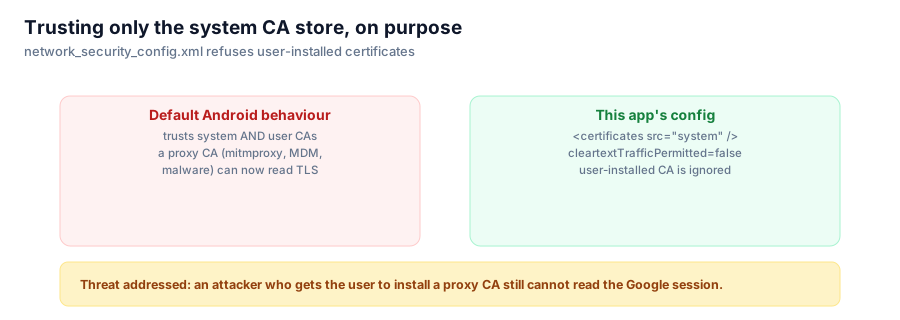
Most Android apps inherit the platform default for which certificate authorities they trust, and the platform default is more permissive than it looks: it trusts CAs the user has installed, not just the ones that ship with the OS. That single default is what makes a huge share of TLS interception tooling work at all. Photo Cleaner turns it off.

network_security_config.xml refuses to honor a certificate the user (or something with access to their device) installed.
The default, and why it exists
Android lets a user manually install a CA certificate — through Settings, or via device admin policy on a managed device — and by default, apps will trust TLS connections signed by that CA just as they'd trust one from the system store. This exists for legitimate reasons: corporate MDM setups often need to inspect traffic on managed devices, and some enterprise or testing tools rely on it.
It is also exactly the mechanism used by mitmproxy, Burp Suite, and similar tools to intercept and read HTTPS traffic — install a proxy's root CA on the device, and every app that trusts user CAs now hands that proxy a plaintext view of its "encrypted" traffic. Malware uses the identical technique.
What the config file does
<network-security-config>
    <!--
      Deny cleartext everywhere, and refuse to honour user-installed CAs.
      This means an attacker who convinces the user to install a proxy CA
      (mitmproxy, corporate MDM, malware) still cannot read the Google session.
    -->
    <base-config cleartextTrafficPermitted="false">
        <trust-anchors>
            <certificates src="system" />
        </trust-anchors>
    </base-config>
</network-security-config>
Two decisions in five lines:
cleartextTrafficPermitted="false"blocks any plain HTTP connection outright, everywhere in the app.<certificates src="system" />with nosrc="user"entry means the trust anchor set is only the certificates that shipped with the OS. A CA the user (or anything acting through the user, willingly or not) installed afterward is simply not in the trust set, regardless of what Settings claims about it being trusted.
The threat this addresses
The session cookie flowing through this app's WebView is, functionally, the key to your Google Photos account for as long as it's valid. If that traffic could be intercepted — a proxy CA installed by a corporate device policy, a compromised network security tool, or outright malware tricking the user into installing a certificate — an attacker with that intercepted cookie could act on the account directly, no reverse-engineering required.
Rejecting user CAs closes that specific door. It doesn't defend against a compromised OS or a malicious keyboard logging what you type; it defends against the much more common "something on this device can install a certificate" scenario, which covers a wide range of real interception setups without requiring anything exotic like certificate pinning to a specific pin set (which would break the moment Google rotated their certificates, and would need updating in every app release to keep up).
The trade-off, stated plainly
This does mean you cannot debug this app's own network traffic with mitmproxy or Charles the normal way — which is a genuine inconvenience during development, and was one while writing it. That's the right trade for a shipped app handling a real account's session cookie: the protection is for the end user against interception they didn't consent to, not a convenience feature for developers, and it doesn't get relaxed for the sake of easier debugging.
Series: Google Photos Cleaner.