
The certificate tracker that started all this, and the API key it had to watch
Professional certifications, domains, TLS certificates and API keys in one NocoBase expiry tracker, filled from RDAP and certificate-transparency logs, plus the test that deleted a real row.
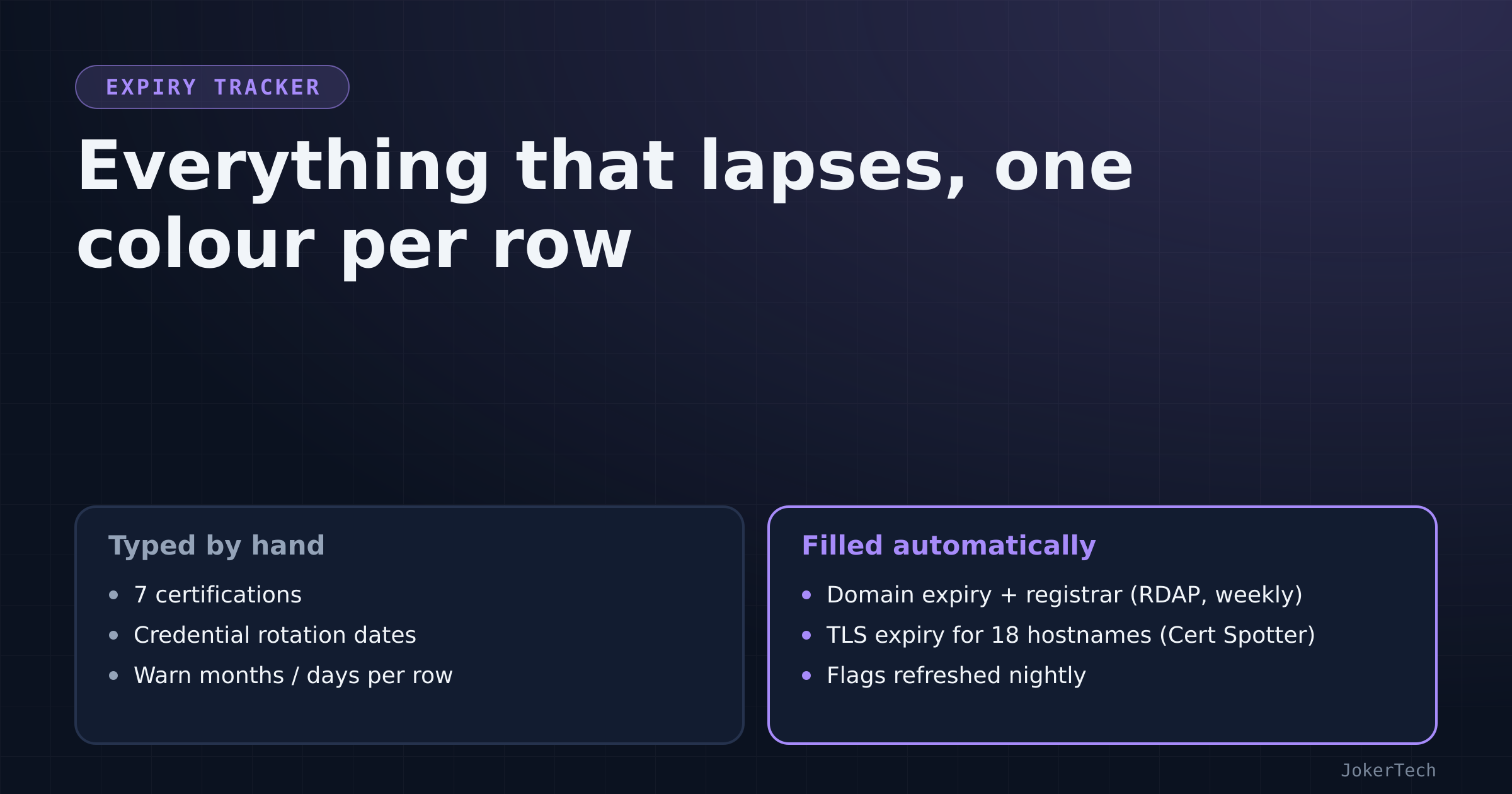
The whole NocoBase build started with one sentence: "track my certifications for all the certificates i have: provider, title, validity, expiration and flag (using colours or something else) if less than 3 months to renewal".
By the end of that evening there were a hundred-odd tables. But the certificate table was first, it is still the one I trust most, and it grew sideways into everything else on my box that expires: domains, TLS certificates, and the API keys used to build the thing in the first place. One of those keys expired in a day. That turned out to be the most useful row in the table.
The original table
Seven professional certifications, from three cloud providers, seeded straight from the JSON my résumé is built from. The collection is plain:
('certifications','Certifications',[
   select('provider','Provider',[('azure','Azure','blue'),('gcp','GCP','geekblue'),
                                 ('scaleway','Scaleway','purple'),('aws','AWS','orange'),('other','Other',None)]),
   string('title','Title'), date('issued_on','Issued on'), date('expires_on','Expires on'),
   string('validity','Validity'),
   integer('warn_months','Warn (months before expiry)', defaultValue=3),
   integer('days_left','Days left'),
   select('status','Flag',[('valid','🟢 Valid','green'),('expiring','🟠 Renew soon','orange'),
                           ('expired','🔴 Expired','red')]),
   url('credential_url','Certificate link'), text('notes','Notes')]),
The flag is computed by SQL, on save and again every night:
UPDATE certifications SET
  days_left = (expires_on - TODAY),
  validity = to_char(issued_on,'Mon YYYY') || ' – ' || to_char(expires_on,'Mon YYYY'),
  status = CASE
    WHEN expires_on < TODAY THEN 'expired'
    WHEN expires_on <= (TODAY + (COALESCE(warn_months,3) || ' months')::interval)::date THEN 'expiring'
    ELSE 'valid' END
WHERE expires_on IS NOT NULL
warn_months is per row because certifications are not all equal. A professional-level exam that needs weeks of study wants a long runway. A free fundamentals badge that renews with an online quiz does not.
The very first manual run of that SQL printed seven lines and one of them was orange: a professional cloud architect certification, 49 days left. I had a vague idea it was "around the end of the year". Seeing a number was different. That single orange row justified the whole evening, and I am a little annoyed at how much more motivating a coloured cell is than a calendar entry I had already been ignoring.
The résumé only had months, not days, so every expiry was entered as the first of its month. That was flagged at the time as something to correct with the real dates. A month of slack on a three-month warning is tolerable either way.
The first notification was a Monday 08:00 workflow, "Renewals due soon", listing certifications and domains in their warning window, sent to the in-app bell. The first message it ever sent read 🟠 Certificate: <title> — 01 Dec 2026 (49 days).
That workflow no longer exists. When dozens of other trackers arrived, certifications and domains joined a single "needs attention" view and one morning digest, which keeps the Monday rule (everything in its window on Mondays, only urgent things on other days) but for all trackers at once. Those two tables still use months and the valid/expiring/expired labels while everything newer uses days and ok/soon/overdue. The union maps one onto the other. It is a small wart from being first.
The exam side of the same table
Certifications have two dates that matter, and the original table only knew one. Expiry is the end of the story. The start is the exam, and that needed its own tracker.
The certification study planner arrived with the second wave of modules: one row per certification I am working toward, with provider, a target exam date, a status (planned, studying, booked, passed, failed, postponed), study hours per week, resources, practice-test scores and weak topics. Its flag watches the exam date, two weeks ahead by default, but only while the status is planned, studying or booked:
flag=dict(date='target_exam_on', active="status IN ('planned','studying','booked')",
          label='🎓 Exam', item='title', warn_default=14)
The active clause is the important bit. A passed exam must stop nagging immediately, and so must a postponed one, otherwise the attention list fills with exams I already decided not to sit this month. Progress is not typed either: a separate learning-roadmap table holds milestones linked to a planned certification, each with a done checkbox, and the planner's "roadmap progress %" is the share of those milestones ticked. Ticking a milestone on one page moves the percentage on the other through the usual child-to-parent refresh workflows.
There is a small asymmetry here that I only noticed while writing this. The expiry table stays accurate on its own, because certificates expire whether I care or not and the dates never change. The study planner is only as good as my last edit: a target date I stopped believing in still sits there, still counting down, until I move it.
Domains, filled from RDAP
I had five domains in the homelab table with empty expiry dates, and I was asked to fill them in. I was not going to. "Most things should be able to fill themselves in automatically" was the answer I gave instead.
RDAP is the JSON successor to WHOIS, and rdap.org redirects to the right registry for any TLD. A weekly workflow loops over the domains table, fetches https://rdap.org/domain/<name>, and a JavaScript node digs out two things:
const ev = (r.events||[]).find(e => e.eventAction === 'expiration');
exp = ev ? ev.eventDate.slice(0,10) : null;
const ent = (r.entities||[]).find(e => (e.roles||[]).includes('registrar'));
if (ent && ent.vcardArray) { const fn = ent.vcardArray[1].find(x => x[0] === 'fn'); reg = fn ? fn[3] : null; }
The registrar name lives inside a jCard array, which is about as pleasant as it sounds.
The first attempt tried to do the JSON digging in SQL, inlining the HTTP response into the query with a {{$jobsMapByNodeKey...}} placeholder. It failed with a syntax error at position 109, because NocoBase's SQL node does not substitute those placeholders at all. It passes them through literally. Values have to go in as bind parameters (variables: [{name, value}] and :name in the SQL), and only scalars, so anything structured goes through a JavaScript node first. After that change, the save is a one-liner:
UPDATE homelab_domains SET expires_on = COALESCE(:e::date, expires_on),
                           registrar  = COALESCE(:r::text, registrar) WHERE id = :id
COALESCE with the old value, so an RDAP hiccup never blanks a date. All five domains came back with expiry and registrar on the first run, all valid, the nearest about five months out. Even with auto-renew, a weekly HTTP call that would notice a failed renewal is cheap insurance.
Domains warn two months ahead by default, not three like certifications. A domain renewal is a payment, not a study plan; two months is enough time to notice a card that expired or a registrar e-mail that went to spam, and short enough that the row is not orange for a quarter of every year. The weekly run is cheap, so a renewal that goes through should show up as a moved date the following Monday, and the flag should go green again without me doing anything. None of my domains has renewed since this was built, so that round trip is still theory.
TLS certificates, from certificate transparency
Then the obvious extension: the actual TLS certificates on every hostname in my network map. Reading the certificate off each URL is fiddly from inside a NocoBase workflow (the JavaScript sandbox has no require, no tls, no fetch; I checked). Certificate-transparency logs already know every certificate ever issued for my names, so the plan was to ask a CT search service for the newest unexpired one.
The first choice was crt.sh. Its answers in the first run:
{"message": "Request failed with status code 502", "status": 502, "statusText": "Bad Gateway", ...}
{"message": "timeout of 40000ms exceeded", "code": "ECONNABORTED"}
crt.sh is a public good run on goodwill and it is frequently overloaded. Cert Spotter's free API answered the same question in about a second and a half, with issuer names. The workflow now calls api.certspotter.com/v1/issuances per hostname, keeps the latest not_after that is still in the future, and upserts it into an ssl_checks table keyed by hostname. Eighteen hostnames filled on the first run.
There is a caveat I want to be honest about. CT logs tell you what was issued, not what is being served. If a renewal succeeded but the proxy kept serving the old certificate, this check would say everything is fine. For my setup, where the public certificates are issued at the CDN edge in front of the box, I think the gap is small. It is not zero.
The SSL table is not hand-editable in any meaningful way: the page has no "add" button, and the only field in its form is the hostname. Its warning window is fixed at 21 days rather than per row, because these certificates renew themselves roughly a month before expiry. If one is still inside three weeks of its end date, something went wrong with the renewal, and that is the only case I want to hear about. A 60-day window would have turned every healthy certificate orange for a month at a time.
The list of hostnames comes from the network map, which was seeded from my dashboard. That makes the TLS check exactly as good as the inventory: a hostname nobody wrote down is a certificate nobody watches.
The credential table and the key that expired tomorrow
The same evening, one of the suggestions was "an expiry tracker for API keys and tokens, like the one you just gave me, which expires tomorrow". That was true. The NocoBase API key I had created for the build was a root key with a one-day expiry, because I did not want a root credential lying around.
So Homelab → Credential rotation was born, and its first seeded row was that key:
seed=[dict(name='NocoBase API key "claude"', kind='api_key', system='NocoBase',
           location='selfhosted-apps/nocobase/.api-key (git-ignored)', expires_on='2026-10-14', status='active',
           notes='Created for provisioning. Delete under Settings → API keys when finished.')]
Each row has last_rotated_on, rotate_every_days and an optional hard expires_on, and the next rotation is whichever is set:
UPDATE credentials SET next_rotation_on = COALESCE(expires_on, last_rotated_on + COALESCE(rotate_every_days,90)::int)The location column says where the secret lives (a file path, an environment variable name, a password manager), never the secret itself. That rule is not enforced by anything except me.
The key row showed up in the next morning's digest as 🟠 🔑 Rotate: NocoBase API key "claude" (NocoBase) — 14 Oct 2026 (1 days). Then it expired, on schedule, in the middle of the next round of work. The replacement has a 30-day expiry, and its row says so, with an extra note: the key was pasted into a chat to get the work done, so rotate it early. The housekeeping script that seeds my to-do list into NocoBase patched that row with the new expiry when the key was replaced.
I like that the system tracks the credential used to build the system. It is the one row nobody else would think to add.
Keys that should not exist
The credential table made me look harder at which keys exist at all, and that turned out to be its most useful effect.
Creating a limited key through the API failed in a way that left me unsure what had happened. Four payload shapes were tried for apiKeys:create with a role of automation. One returned "Role not found", one a 500 from the proxy, and two returned an empty response with no error. Empty is the dangerous one: it might mean a key was created and its token was never shown. So the next step was listing every key and checking for strays:
existing keys: [(1, 'claude', 'root', '1d')]
after: [(1, 'claude', 'root')]
Nothing stray. The conclusion, now in the README, is that API keys cannot be created through the API with a key session at all, and the limited key has to be made by hand in the UI. That also means the expiry of every key is chosen by a person in a dialog, which is the one place my reminders cannot see it until I write it down.
Two keys in particular are worth a row each. The provisioning key is root and expires after 30 days, deliberately, and the table nags me a week before. The key the chat bot on my phone uses was created later, on the limited automation role, and it does not expire. That was a conscious trade: a bot that dies silently every month is worse than a narrowly scoped key that lives longer, as long as it ends up in the table with a rotation date, which is on me. And an older, view-only key from an earlier experiment still exists and appears to be used by nothing. It is the kind of key a credential table exists to find. As of the 16th, it was still there.
The same pattern covers the parts of life that expire without an API. An expiry tracker under Personal holds passports, ID cards, driving licences, vehicle fitness and insurance, health and home insurance, visas and memberships, each with a holder, a reference number, a renewal link and a sixty-day default warning, because renewing a passport is not a weekend job. A documents index records where things are stored (cloud folder, e-mail, a physical shelf) with an optional expiry. A licences-and-warranties table under Homelab tracks software licences and hardware warranties with a thirty-day window.
I will not describe what is in those, for obvious reasons. Their structure is identical to the certification table's newer cousins: a date, a per-row warning, an active condition, and a line in the morning digest when it matters. Having one pattern for all of them is what makes adding the next one cheap.
The test that deleted a certificate
The worst moment of the build happened on this table.
NocoBase has a member role that I wanted to be view-everything, edit-nothing. To check it, the assistant sent requests with the root API key plus an X-Role: member header, expecting the writes to be refused. They were not refused. A create returned 200. An update returned 200. A delete returned 200.
The API key authenticates as the role it was created with, root, and ignores X-Role. So "testing as member" was just root, doing things. The test row created to "fail" was really created, with the title should fail. And the delete that was meant to bounce had actually removed one of my seven certifications.
It was caught immediately, because the next step listed the certifications and one id was missing. The row was rebuilt from the résumé JSON (it came back with a new id, 9 instead of 1), the stray row was deleted, and the permission change itself was verified by reading the role's configuration rather than by trying to break it. The rule that came out of it is now written in the provisioning README and in my notes: the root key cannot test another role, so never "test as" anything with it, and only ever run mutating tests on throwaway rows with an ugly unique prefix.
The certificate table was also why the "limited automation role, no delete" exists at all. A key that cannot delete would have turned that mistake into an error message.
What it costs and what I would change
Nothing, most weeks. RDAP runs Mondays, Cert Spotter Tuesdays, the flags refresh nightly, and orange rows appear in the morning digest when they matter. When a certification renews I edit one date. When a key rotates I edit one date.
The parts I still do by hand are the ones without an API. Certification expiries could in theory come from the badge platforms; the idea was raised, with the caveat that nobody had confirmed they expose expiry dates, and it was never built. Fair enough. Seven rows, edited a few times a year, do not need an integration. They needed a colour.
If I were starting again, the two original tables would use the same days-based flag as everything else instead of months and their own labels. The difference costs a mapping line in the attention view and a separate refresh statement in the nightly job, forever, for no benefit beyond having been first. And I would make the credential table insist on one more field: what breaks when the key is revoked. "Location" tells me where to paste the new value. It does not tell me what will quietly stop working if I forget.